Plotting a Binary Outcome
Last modified: 2026-10-26 23:11:59 (PDT)
Example 1 (A rug of the WCGS outcome) A rug draws one tick per observation along an axis. Draw the men with chd \(= 0\) along the bottom edge and the men with chd \(= 1\) along the top edge. Transparent ticks darken where many observations share nearly the same bmi.
library(ggplot2)
ggplot(wcgs, aes(bmi, chd)) +
  geom_rug(data = subset(wcgs, chd == 0), sides = "b", alpha = 0.3) +
  geom_rug(data = subset(wcgs, chd == 1), sides = "t", alpha = 0.3) +
  geom_hline(yintercept = c(0, 1), linetype = "dashed") +
  geom_line(aes(y = fitted(fit_bmi))) +
labs(x = "Body mass index (bmi)", y = "Fitted chd")chd on bmi in the WCGS data, with a rug of the men with chd = 1 along the top and chd = 0 along the bottom.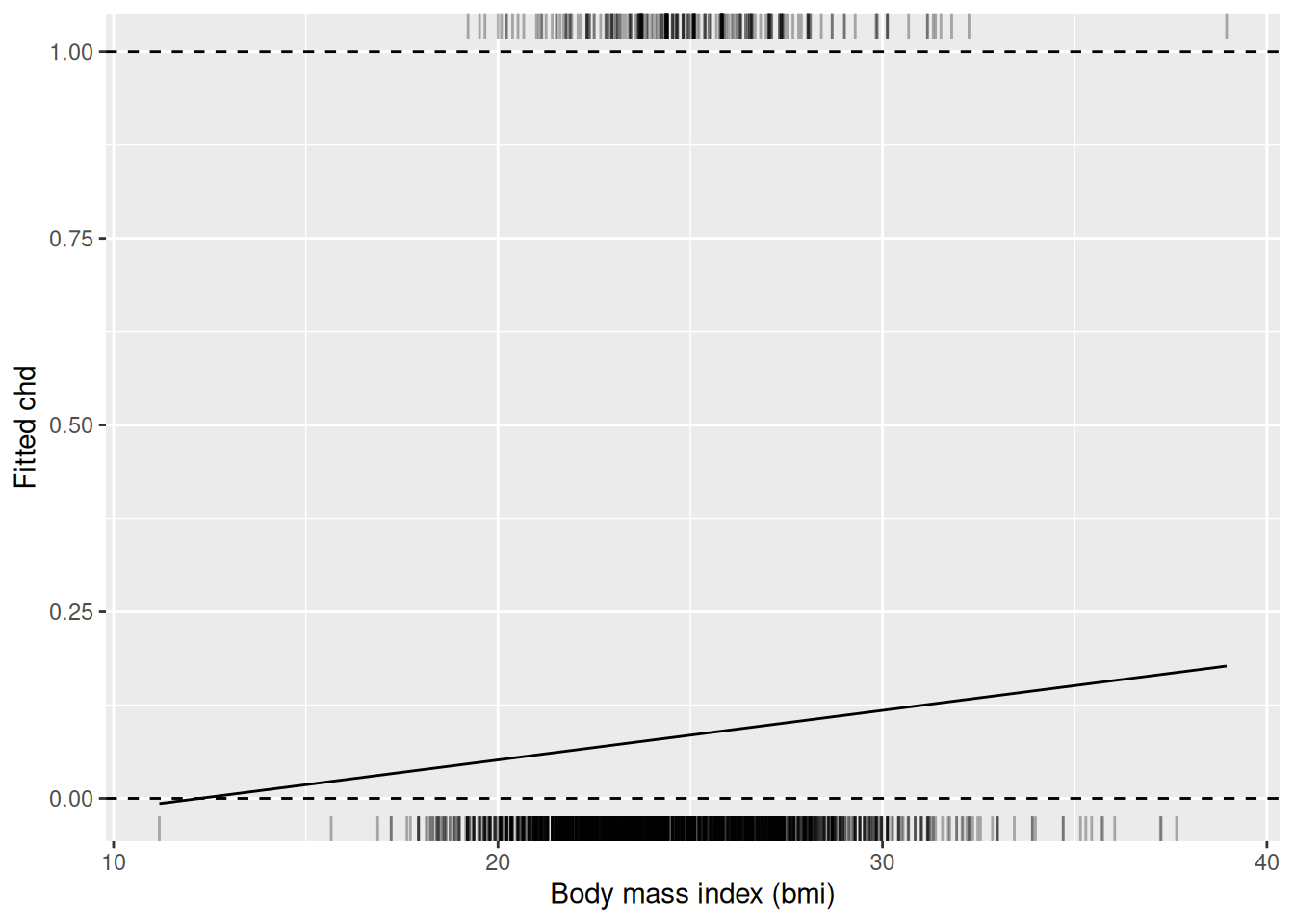
import matplotlib.pyplot as plt

fig, ax = plt.subplots()
for chd, side in [(0, 0.0), (1, 1.0)]:
    bmi_chd = wcgs.loc[wcgs["chd"] == chd, "bmi"]
    ax.plot(bmi_chd, [side] * len(bmi_chd), "|", color="gray", alpha=0.3)
ax.axhline(0, linestyle="--", color="black")
ax.axhline(1, linestyle="--", color="black")
ax.plot(wcgs["bmi"], fitted_bmi)
ax.set_xlabel("Body mass index (bmi)")
ax.set_ylabel("Fitted chd")
plt.show()chd on bmi in the WCGS data, with a rug of the men with chd = 1 along the top and chd = 0 along the bottom.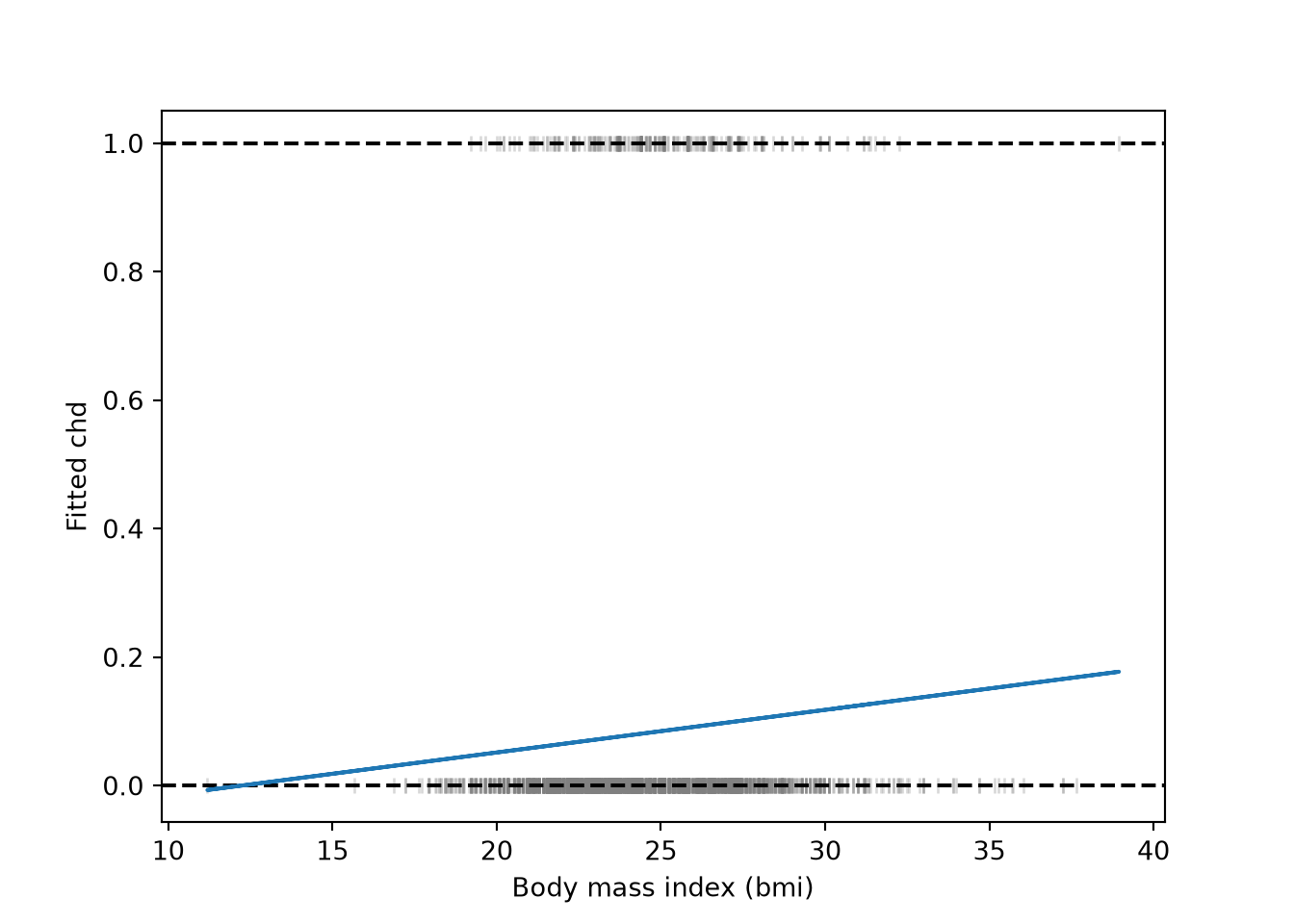
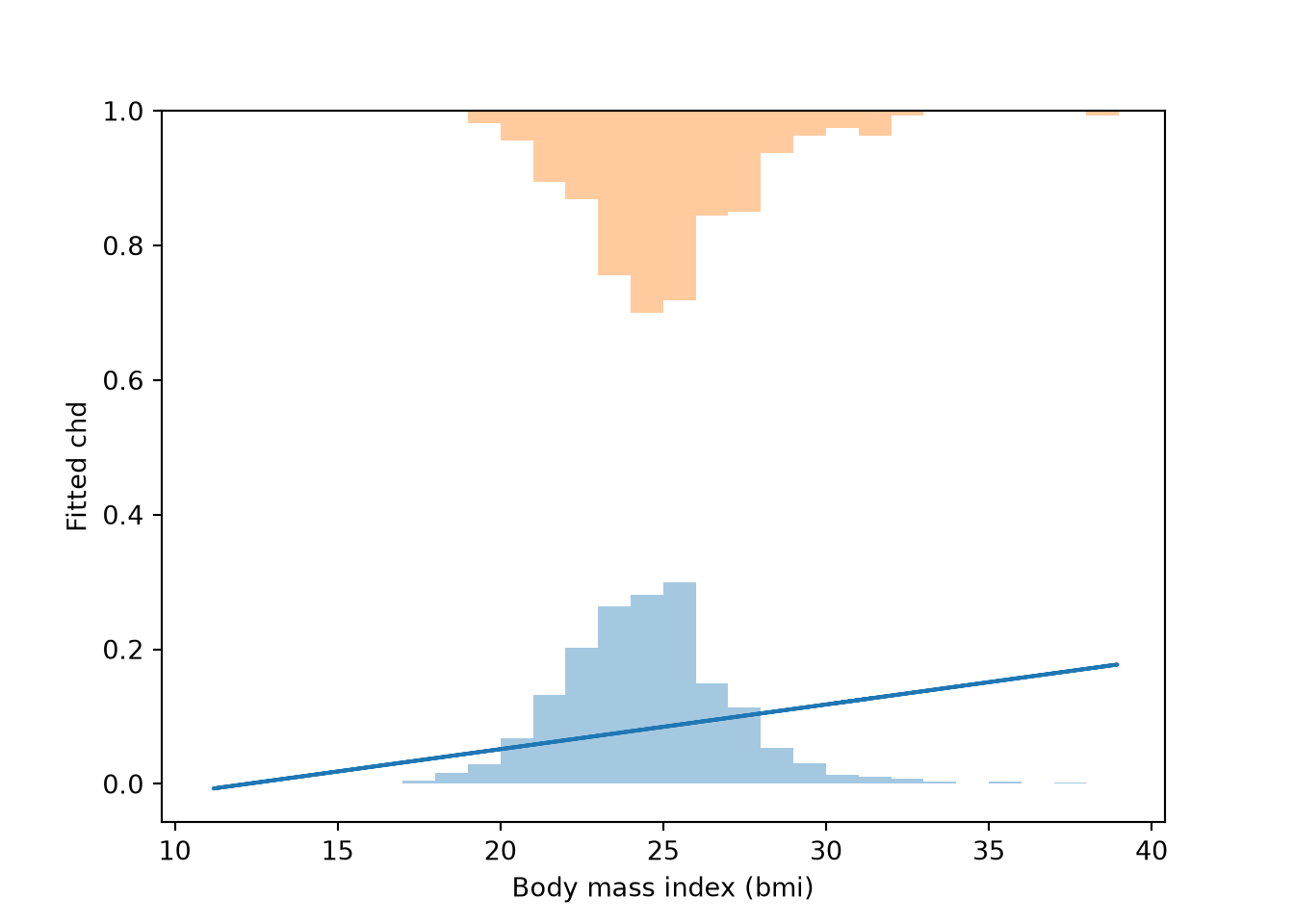
Example 2 (Two histograms of the WCGS feature) A histogram of bmi for the men with chd \(= 0\) stands on the line \(y = 0\). A histogram for the men with chd \(= 1\) hangs down from the line \(y = 1\). Each histogram is scaled so its tallest bar is \(0.3\) high, because there are far fewer cases than non-cases and the raw counts would hide the smaller group. The heights then show each group’s shape, not how many men it holds.
breaks <- seq(floor(min(wcgs$bmi)), ceiling(max(wcgs$bmi)), by = 1)
bars <- function(data, chd_value) {
  counts <- hist(data$bmi[data$chd == chd_value], breaks = breaks,
                 plot = FALSE)$counts
  tibble::tibble(xmin = head(breaks, -1), xmax = tail(breaks, -1),
                 height = 0.3 * counts / max(counts))
}
bars0 <- bars(wcgs, 0)
bars1 <- bars(wcgs, 1)
ggplot(wcgs, aes(bmi, chd)) +
  geom_rect(data = bars0,
            aes(xmin = xmin, xmax = xmax, ymin = 0, ymax = height),
            inherit.aes = FALSE, alpha = 0.4) +
  geom_rect(data = bars1,
            aes(xmin = xmin, xmax = xmax, ymin = 1 - height, ymax = 1),
            inherit.aes = FALSE, alpha = 0.4) +
  geom_line(aes(y = fitted(fit_bmi))) +
labs(x = "Body mass index (bmi)", y = "Fitted chd")bmi for the men with chd = 0 standing on the line y = 0 and one for the men with chd = 1 hanging from the line y = 1. Each histogram is scaled so its tallest bar is 0.3 high.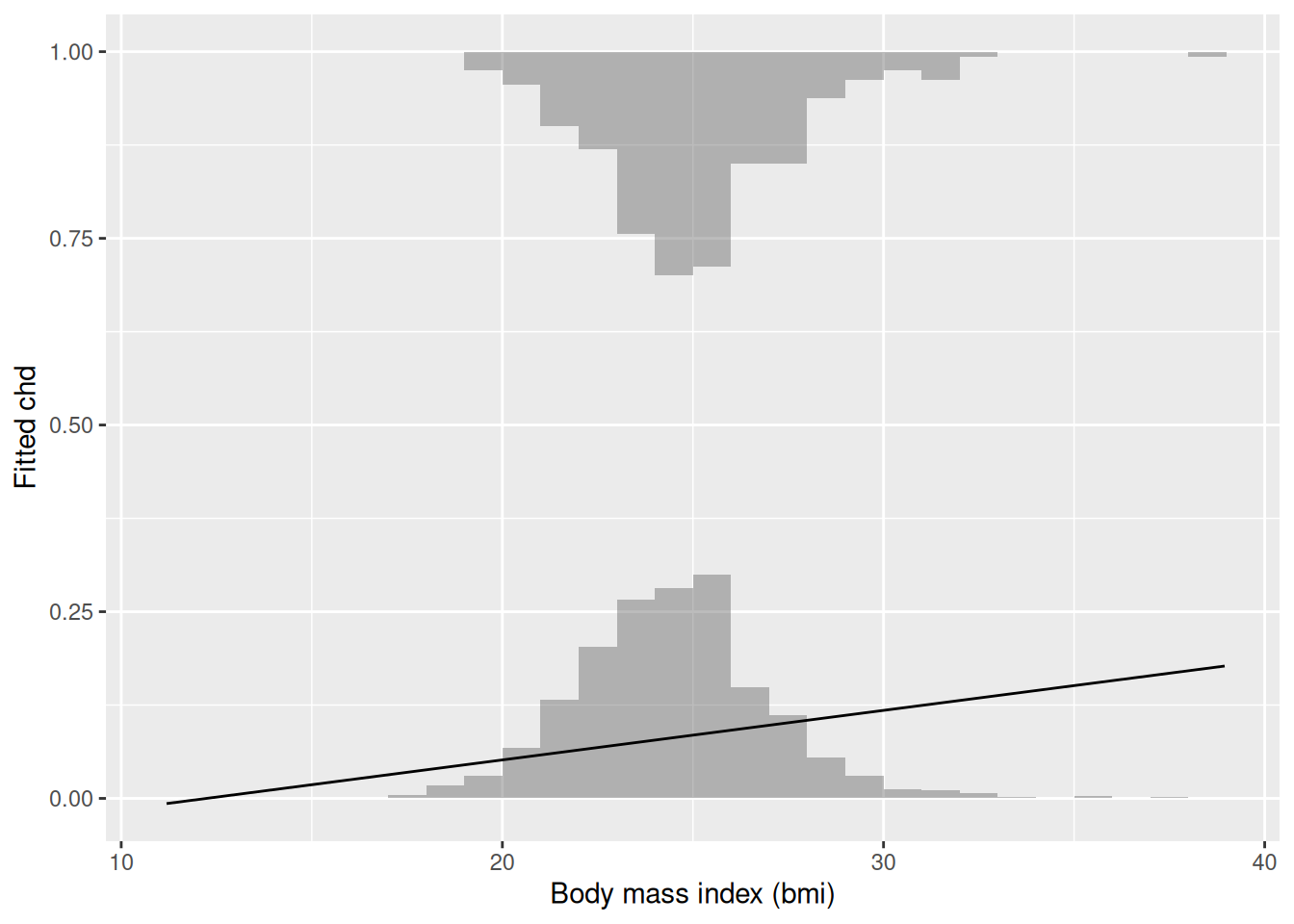
breaks = np.arange(np.floor(wcgs["bmi"].min()), np.ceil(wcgs["bmi"].max()) + 1)

fig, ax = plt.subplots()
for chd, base, sign in [(0, 0.0, 1), (1, 1.0, -1)]:
    counts, _ = np.histogram(wcgs.loc[wcgs["chd"] == chd, "bmi"], bins=breaks)
    ax.bar(breaks[:-1], sign * 0.3 * counts / counts.max(), width=1,
           bottom=base, align="edge", alpha=0.4)
#> <BarContainer object of 28 artists>
#> <BarContainer object of 28 artists>
ax.plot(wcgs["bmi"], fitted_bmi)
#> [<matplotlib.lines.Line2D object at 0x7f77f809e210>]
ax.set_xlabel("Body mass index (bmi)")
#> Text(0.5, 0, 'Body mass index (bmi)')
ax.set_ylabel("Fitted chd")
#> Text(0, 0.5, 'Fitted chd')
plt.show()bmi for the men with chd = 0 standing on the line y = 0 and one for the men with chd = 1 hanging from the line y = 1. Each histogram is scaled so its tallest bar is 0.3 high.